


sage green floral line art border engagement invitation card

teal and gold paisley mehndi border engagement invitation card
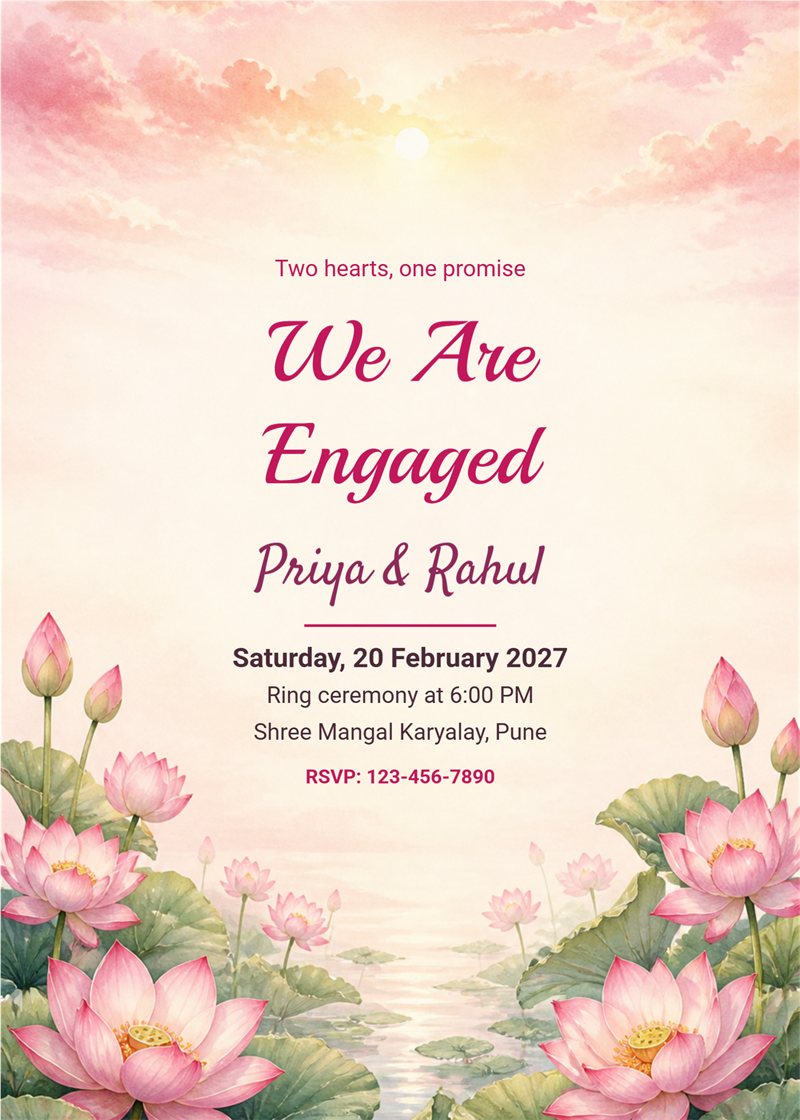
pink lotus and pastel sunrise engagement invitation card

boho pampas grass and terracotta sun arch engagement invitation card

white marble with geometric gold lines engagement invitation card

rose petals and gold glitter on cream engagement invitation card

blush pink paper with watercolor flower corners engagement invitation card

minimal ivory script with gold rings engagement invitation card modern

minimal ivory script with gold rings engagement invitation card

deep teal and gold arch with lanterns engagement invitation card

dark luxury black and gold ring circle engagement invitation card modern

dark luxury black and gold ring circle engagement invitation card
An engagement, also called a ring ceremony, sagai, nischayam or betrothal, is the moment two families celebrate a new beginning. With EasyInvite you can make an engagement invitation card online in English. Choose a ring ceremony design, add the names of the couple, the date, time and venue, include a pre-wedding photo if you wish, and send the invitation to your guests on WhatsApp.
Engagements look different in every community, and the card should too. Our designs work for a ring exchange in a banquet hall, a traditional sagai at home, a South Indian nischayam, a church engagement or a small family lunch. Change the heading to Engagement, Ring Ceremony, Sagai or Betrothal and add the ceremony time so guests arrive on schedule.
Keep the card simple and clear. Include the names of the bride and groom, the names of the parents if you wish, the date and time, the venue and the RSVP number. If a lunch or dinner follows the ring exchange, mention it in a short line. Each block is a separate text box, so you can remove anything you do not need.
Choose the look that fits the mood of your ceremony:
Match the invitation to the day. If your ceremony is in the afternoon at a banquet hall, a bright floral card will look lovely, and if it is an evening ring exchange, a dark gold card feels special. Keep the names of the couple in the biggest script, put the date and time in a clear line and place the venue address at the bottom with a landmark so that guests can find it. If both families are hosting, you can add both parent names in a small line above the couple names. Before sharing, read the card once more on your phone to check the spelling of every name.
You do not need any design skills. Follow these steps in the EasyInvite editor:
Tap the photo in the template, choose Change and select your picture. Use Crop to fit, remove the background if you want a cut out look, or try the AI cartoon and Ghibli effects for a fun save the date.
An engagement is a happy, busy time. EasyInvite makes the invitation the easiest part:
Write the card in the language your relatives are most comfortable with. The engagement category is available in:
After the engagement, these invitation pages are useful:
1. How do I make an engagement invitation online?
Open an engagement template, edit the names, date, time and venue, then download it and share it on WhatsApp.
2. Can I add our photo?
Yes. Choose a photo template, tap the photo, select Change and use Crop to fit.
3. Can I use the card for a sagai or ring ceremony?
Yes. Change the heading and the text to match your ceremony, whether it is a sagai, nischayam or ring exchange.
4. Can I invite guests in Hindi or Marathi?
Yes. The engagement category is also available in Hindi, Marathi and Gujarati.
5. Can I edit the card on my phone?
Yes. The editor works on the website and in the Android app.
Your engagement is the start of a beautiful journey. Pick an engagement invitation template you love, add your details and let your family and friends join the celebration.
Frequently Asked Questions